I love reading, especially now that I can carry a whole library in my pocket. But lately, I've been struggling with something that's making my favorite pastime less enjoyable: eye strain from reading e-books. It started with mild headaches and blurry vision, and eventually, my eyes felt tired and dry all the time. I knew I had to find a solution before I gave up on digital books altogether.
At first, I thought it was just me. Maybe I was reading too much, or my eyes were getting old. I tried different things, like taking breaks more often and adjusting the brightness on my phone. These helped a little, but the eye strain kept coming back. I noticed it was especially bad when I read before bed. The bright screen seemed to keep me awake, and my eyes felt even more strained the next day. I started dreading picking up my phone to read, even though I really wanted to dive into new stories.
Desperate for a fix, I started researching ways to reduce eye strain from screens. That's when I learned about e-ink screens. I heard that they're much easier on the eyes than the screens on phones and tablets. Someone suggested trying a Kindle, and I was intrigued. The idea of a device specifically designed for reading, with a screen that mimics the look of paper, sounded like exactly what I needed.
I ended up getting a Kindle Paperwhite. It was a game-changer! The adjustable light levels, including the warm light option, made a huge difference. I could even set it to automatically adjust the brightness based on the time of day, which was perfect for reading before bed. The e-ink screen really did feel easier on my eyes. I could read for hours without the headaches and blurry vision I used to get.
But the Kindle wasn't the only solution I found. I also learned about the 20-20-20 rule. The idea is that every 20 minutes, you take a 20-second break to look at something 20 feet away. This gives your eye muscles a chance to relax and prevents them from getting too strained. I started setting a timer on my phone to remind me to take these breaks, and it really helped. It's amazing how such a simple thing can make such a big difference.
Another thing I found helpful was increasing the font size on my devices. Squinting at small text can put a lot of strain on your eyes, so making the font bigger can help reduce that strain. Most e-readers and apps have options for adjusting the font size, so it's easy to find a size that's comfortable for you. I also discovered that limiting screen time before bed is crucial. The blue light emitted from screens can interfere with sleep, and it can also contribute to eye strain. Now, I try to avoid screens for at least an hour before bed, and I've noticed a big improvement in my sleep quality and eye comfort.
Speaking of blue light, I also started using blue light blocking glasses. I've seen them around for a while but never really gave them much thought. Now, I wear them whenever I'm working on my computer or reading on my phone, especially in the evenings. I've noticed that my eyes feel less tired and strained, and I don't get headaches as often. I found some stylish ones at Mozaer's homepage, so I don't even mind wearing them in public.
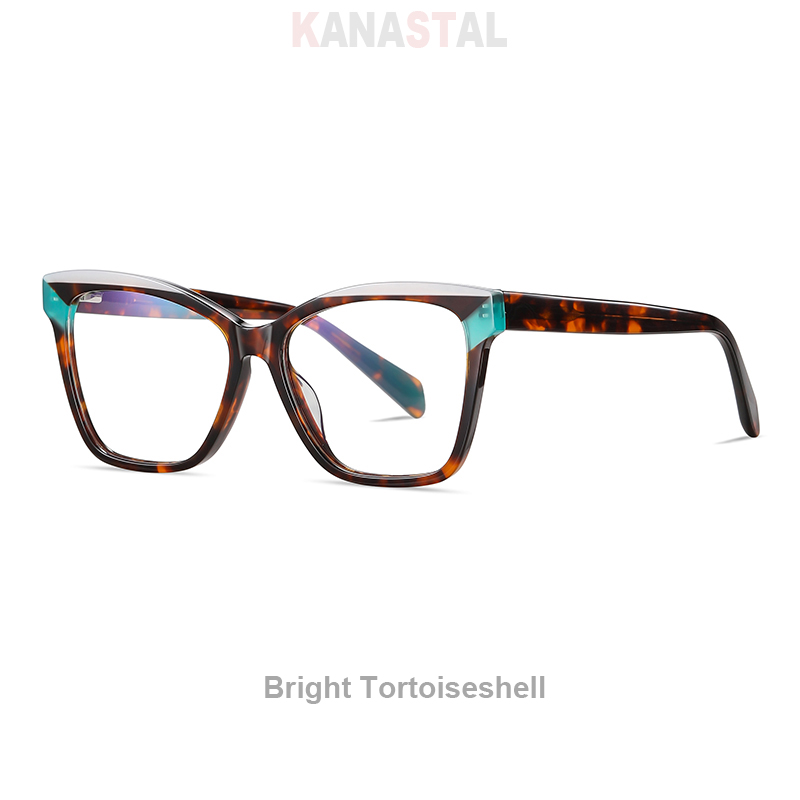
I even found a great pair of blue light blocking glasses at Mozaer. The Acetate Glasses Women Blue Light Blocking Glasses Multicolor Computer Men Eyewear Anti Ray Prescription Reading Eyeglasses Frame in Tortoiseshell are not only effective but also super stylish. They've really helped reduce my eye strain, especially when I'm working on my computer for long hours. I love the multicolor design, and they feel really comfortable to wear. It feels good to protect my eyes without sacrificing style. I can highly recommend these if you are looking for blue light blocking glasses.
Here's a summary of the things that have worked for me in managing e-book eye strain: